Showing posts with label TABLET. Show all posts

Sunday, April 28, 2013

Samsung S5830 Galaxy Ace Review


Samsung GALAXY Ace is a sophisticated mobile with a minimalist design makes a device that will captivate. With smooth rounded edge design and sleek, plus its compact size makes it very comfortable to hold with a hand, and of course comes with a screen size of 3.5 "HVGA screen is very pleasant to use for  watching. The touch screen is very good quality, sensible, scratch resistent (gorilla glass), decent amazing definition and brightness. It's camera takes pictures of acceptable quality, and the video runs smoothly. 

Samsung GALAXY Ace is powered by Android Operating System, with about 100, 000 applications available in the Android Market, there's no end to what your mobile can do. Enjoy countless games, utilities, application news, health and finance with more being added every day. you will get a variety of things, just by using the GALAXY Ace ! GALAXY Ace offers a fully integrated one-page layout of your phone book, IM, email, and SNS. You can also organize and view your contacts according to four separate formats-Info, History, Activity and Media-so you can customize the layout you like that you want. 

Supported by a powerful 800MHz processor and Wi-Fi, you can surf the internet, download apps quickly, and share content with friends. Multitasking is a breeze, so we can have fun in all sorts of ways GALAXY Ace.This gadget has features QuickType by Swype, intelligent interface that connects the dots made ​​by your finger to figure out what you're going to try to write, by moving your finger across the keypad from letter to letter in one fluid motion, the phone senses figure out what exactly you want to say!

So this is an amazing gadget instead. Read the customer review in here..!!!


Tuesday, May 1, 2012

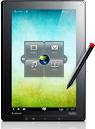
Lenovo ThinkPad Tablet Review -- Tablet with Digital Pen

As a major manufacturer of PCs and laptops in the world, Lenovo is also completing its product range by producing a tablet ThinkPad series that focuses on professional business segment.

ThinkPad body made ​​from plastic that is thick, coated with a black bandage doff. ThinkPad has a variety of ports, namely audio jack port, HDMI port, Mini-USB, and dock connector. Dock connector serves to connect the ThinkPad with ThinkPad tablet dock accessory that you can buy separately.In addition, there is a slot for SD card and SIM card under the cover. Overall, the ThinkPad's body looks solid though in terms of portability is less comfortable because the weight is too heavy at around 740 grams.

ThinkPad uses IPS screen technology that is able to provide images with high sharpness and angle of vision up to 178 degrees. ThinkPad operating system using the Android Honeycomb. But in its official website, Lenovo promises to their customers to start upgrading to OS Ice Cream Sandwich on 21 May.

Lenovo ThinkPad is also equipped with primary and secondary camera. The main camera on the back of a size of 5 MP and a secondary camera located at the front of size 2 MP. In addition, for recording moving objects, the ThinkPad has supported 720p HD-quality video (1280 x 720 pixels).

Supported by a 1 GHz dual core processor and IPS TFT LCD technology, the ThinkPad look impressive with a variety of useful applications to support your work. Moreover, with the promise of an upgrade to Android Ice Cream Sandwich in the future. For those of you who need a tablet to the completeness of connectivity such as HDMI and USB ports seems very appropriate to have this tablet.


Source : Pulsa

Sunday, April 8, 2012

New iPad Overheat?

In the midst of its appearance, the iPad third generation or so-called New iPad, reap the odor issue. New iPad rumored to release excessive heat. Is it true?


Some sites attempt to prove the technology adaptable for the issue, one of these sites is Tweaker.net. This site benchmark test OpenGL graphics system to test the ability of New iPad with iPad, but online media is finding other facts, namely that the temperature of New iPad penetrate 33.6 degrees Celsius, five degrees Celsius higher than the iPad 2.


The results of the proof is finally growing and becoming a hot issue in the past two weeks, even with a more intensive testing, other media technologies get more fantastic, the temperature of New iPad could be hotter than 10 degrees Celsius with iPad 2. Meanwhile, the results of Consumer Reports study also said that if the temperature of New iPad could be higher than the temperature of the iPad 2 between 10 to 13 degrees Celsius.


According to analysts, the New iPad overheating caused by the use of screens and processors A5X retina with quadcore GPU card. In addition, the New iPad using a large battery size. The Apple has stated that the new iPad, does not have a problem because it already passed the stage of their thermal test.


In his official site, Apple states that the New iPad comes with Retina Display, A5X chipset, supports the use of 4G LTE, and powered by batteries that can be used within 10 hours. New iPad operate well in our thermal specifications and if you are having problems please contact AppleCare


Are you still interested in this third-generation iPad? This case might make you sad. From the testing we did, New iPad body feels warmer than the iPad 2, but not significant. If used in standards activities, the temperature of New iPad we think is still within normal limits.


Tuesday, April 3, 2012

Sony Tablet PC - S1 & S2 - Reviews


Tablet PC S1 and S2 are produced by leading vendors, Sony, was officially released last year. They provide a perfect blend of hardware, content and functionality of wireless connection that will deliver a stunning entertainment experience for its users.

In terms of design and unique features of the two tablets, claims Sony above is quite reasonable. This, it has become a hallmark of Sony to always look different from its competitors' products. By Sony, S1 is intended as a Tablet PC that is optimal in terms of entertainment media, while S2 is ideal for mobile communication and entertainment.

Duo Sony Tablet is equipped with an operating system Android 3.0 Honeycomb, other than that Sony will also equip them with digital content such as videos, games, music, and e-book, through its premium online service. Tablet PC S1 has a 9.4 inch sized screen and two cameras (front and rear). As for the processor, S1 will use Tegra 2 SoC and touch panel user interface called "Quick and Smooth". Interestingly, the S1 can be used as a remote control TV or other electronic devices that use an infrared connection.

S2 appear more unique, with its clamshell design. Yes, this tablet comes with folding design, and in a closed state S2 can even fit in a pocket. If opened, it would seem S2 consists of two screens, at the top and bottom, each measuring 5.5 inches with a resolution of 1024 x 480 pixels. With the dual screen concept, the S2 has a more interesting and intuitive for users. For example, in typing mode, the upper screen will display the text, while the bottom screen will display a virtual QWERTY keyboard and navigation buttons.

Other advantages, the tablet PC (S1 & S2) will get a PlayStation Certified label. This means that S1 and S2 can play PS One games that have been ported to Android OS. This means S1 ​​and S2 have similar capabilities with the Sony Ericsson Xperia Play. But, of course, the experience of playing games in the S1 and S2 will be much more interesting because of the large screen size. For connectivity, Tablet PC S1 and S2 will use the 3G/4G and WiFi technology. In addition, DLNA facility was drowned.


Source : TelePlus Magazine

Monday, April 2, 2012

HTC Flyer - Fly Like a Flyer - Review

7-inch tablet was chosen because it is smaller and practical. Reasonable if HTC had finally come to compete in this segment. The difference is the processor used is above the 1 GHz to 1.5 GHz and the memory to 1GB of RAM. Choice is only 32 GB capacity only and it can still be coupled with a microSD slot for up to 32 GB again.

In terms of price, HTC Flyer slightly adrift from its competitors, Galaxy Tab GT-P1000, but from the specs HTC Flyer clearly superior. HTC is a vendor who cares about audio quality produced by the product. Although the HTC Flyer is still not equipped with Beats Audio, but the HTC Flyer was pinned Dolby Mobile and SRS to the satisfaction of the audiophile.

From the first, HTC has always promoted its product as a gadget that can understand you and not vice versa. The image is still strong in HTC Flyer. The presence of HTC Scribe, which is the unique stylus that is used in conjunction with the Flyer adds value for HTC Flyer.

For the appearance of the HTC Flyer, our favorite is still HTC Sense. Besides unique and beautiful, HTC Flyer also has a capacitive buttons, which can adjust the position when used vertically or horizontally. The quality was very good although the camera is not equipped with a LED Flash. It is very unfortunate.

In the future, it could be HTC will release another tablet, with other sizes as well. But for now if you want a tablet that is practical and functional, HTC Flyer is worth considering. Please... Read the customer review in here..

SPEC :

7-inch screen
Capacitive multitouch LCD screen, responsive to the HTC Scribe.

Processor
1.5 GHz Qualcomm, TI OMAP 3610 chipset

Memory
Internal 32 GB, 1 GB RAM, microSD slot for up to 32 GB

Camera 1.3 MP & 5 MP
Sized rear camera 2592 x 1944 pixels and a 1.3 megapixel front camera

Connectivity
AZDP V30 Bluetooth, WiFi (b / g / n), DLNA, microUSB v2.0, 3.5 mm port, HSDPA


Source : Forsel Magazine

Friday, March 30, 2012

Galaxy Tab 7 Plus Review - Brand New Tablet From Samsung

7-inch tablet is the most interesting. For the time being is not feasible to use the old operating system, then for most new tablet, Honeycomb OS is a must. In addition, support from the processor computing speed above 1 GHz is also absolutely necessary because of the rich features of a tablet that seems to be continually present.

Ages 7-inch Samsung Galaxy Tab seems to have lost its heyday and with the increasing number of competitors, Samsung also respond to the situation by launching its latest variant, the Galaxy Tab 7 Plus. Various modifications to be done especially on the body. The body of the Galaxy Tab 7 Plus more curve and thickness trimmed to about 4 mm. With these modifications become increasingly lighter weight and body look slimmer.

Up grade user interface used on the Galaxy Tab 10.1 adopted to Tab 7 Plus. The change is indeed very significant in this UI. User interface is more creative and more fun for users. Meanwhile, telephony functionality is still maintained in the Galaxy Tab 7 Plus is like its predecessor.

Another change is in front of the camera, from 1.3 MP increased by using a 2 MP camera. PLS LCD screen is used to maintain the excessive energy consumption. But in fact the model of dual-core processor is enough for efficient use 4000mAh batteries.

Stock tablet is getting crowded, but with the power of brands owned samsung samsung potential remains one of the leaders of the market is still high. With the strength of its brand, which features more complete, and the body that fits in the hand, Galaxy Tab 7 Plus is worth to be recommended.

Source : forsel magazine

Wednesday, March 28, 2012

Blackberry Playbook 7-Inch Tablet (32GB) Review


ADVANTAGES :

1. Screen display and supports high performance HD video

Regarding the screen, the first thing that attracts attention is the screen quality is excellent. Screen with 1024x600 pixel resolution is capable of displaying images that are sharp, detailed, and rich colors. The advantages are very apparent when the Playbook plays a movie featuring the blue sea and clouds with a very intriguing.

What also needs to be underlined, Playbook supports 1080p HD video in the classroom with a variety of formats such as AVI, MP4, FLV, including the converted video to 1080p High Profile format. Imagine you can enjoy high-definition movie in a traffic jam or a plenary session with a cool screen them. By the way, the Playbook also provides an HDMI jack so that we can play the video from the Playbook to the television.

2. Compact and more portable because it measures 7 inches with a weight of 435gr and is equipped with a rubber material on the back.

Blackberry Playbook has dimensions 13 x 19.4 cm of the size and 1 cm thick, almost equal to the size of the Galaxy Tab. But Blackberry Palybook more comfortable when grasped than the Galaxy Tab. This is because the back of the Playbook itself is made of rubber material that feels more solid grip without slippery. We also liked its compact and lightweight and weighs only 425 grams, the Playbook is unlikely to be a part of the time taken to travel hassle. Therefore, the Playbook is superior in terms of portability when compared to the iPad.

3. Have multitasking capabilities.

Another advantage is the ability to try Playbook highlighted multitasking. This feature allows you to run multiple applications simultaneously, and not just multi-tasking on a device like a tablet or other mobile phones. Due to other gadgets, when you run an application and move to the main menu to run other applications that are running the application will stop (pause) the processes that are running but not so in the Playbook, regardless of the ongoing process will continue even if you open an application or other features. Playbook can run many applications simultaneously, ranging from browsers, video, music, and other applications with no problems at all.

In addition Playbook provides a feature that allows users to monitor applications running in the background through the windows multitasking. For example: when we run a video and simultaneously run a browser. When the browser is active, the video is still running. Then we open the windows multitasking, which shows a small window containing the alias thumbnail browser and a video that had us play

The uniqueness of the Playbook is a bezel that is the area on the edge of the screen that has its own role. For example if you want to open a window mulitasking, we just move your finger from the bottom to the top bezel. If you want to close the application, we just drag the application window to the top of the bezel. While the left and right bezel serves to switch to another application without having to open the windows multitasking. Even activate the keyboard can be done by moving your finger from the left corner of the bezel to the center of the screen. This approach is in our opinion is very effective and practically eliminates the need for physical buttons.

4. Uncompromised Web Browsing Experience

PlayBook excellence can also be felt through the browser feature. Through the default browser that is embedded in the Playbook, you can feel the experience of internet like when using a desktop. When opening a site, you will not be automatically redirected to the mobile version of the site.

5. BlackBerry Bridge

This allows you to connect and synchronize with your BlackBerry Playbook that you use. Once connected you will receive one additional fruit tray titled Bridge the BlackBerry homescreen. This displays the tray icon to access some features of the BlackBerry is synchronized. For example, the calendar feature you can access a variety of appointments in the BlackBerry even make a new appointment.

When you are not in a hotspot, you can use the Bridge Browser, means to connect to the internet you use an operator in a synchronized BlackBerry.

Only when connected to other BlackBerry devices is you can feel and use the features on the maximum Playbook. So if you do not already have a BlackBerry device and plan to buy Playbook, you should delay your intentions are.


WEAKNESS :

1. Has its own application stores but while this is still a bit applications available.

Playbook itself has its own application store and different from the App World for BlackBerry phones. However, the availability of applications for the Playbook now not much, but the future will be very bright. Because the Playbook application can be made with a variety of programming languages​​, like C / C + +, Adobe Air, HTML5, and JavaScript. Even Playbook can run Android applications. RIM will provide some sort of virtualization applications that will run applications on the Android operating system Playbook.

2. Does not have 3G, email applications, contacts, and calendar.

Playbook weakness: the absence of email applications, contacts, and calendar. The only access data that is to do the pairing with BlackBerry phones (the RIM BlackBerry called the Bridge). If you are connected, all emails on the phone to the BlackBerry can be seen in the Playbook. But when the pairing is interrupted, the data is missing from the Playbook. Playbook also does not have a 3G connection, so it must rely on the connection to the internet via WiFi or pairing the BlackBerry Bridge.


CONCLUSION

BlackBerry Playbook is definitely not just a device that enters the battle arena tablets without carrying a weapon. Various features such as multi-tasking and able to look up a browser and a Playbook differentiator with its competitors.

Unfortunately, the fundamental vital features such as email applications, contacts calendar also is available by default and can only be obtained after connecting Playbook with BlackBerry smartphones. As of this writing, even BlackBerry Messenger is also not yet available in the Playbook. But do not worry for this one, the middle of setting it up via BlackBerry BlackBerry Bridge. So it's no exaggeration to call Playbook as a complement to the BlackBerry smartphone. Read the full specification of BlackBerry Playbook in here.

Tuesday, March 13, 2012

Dell Streak 7 Review


Dell streak 7 has dimensions 200 x 119.8 x 12.4 mm. compact enough for a tablet. Not too big and not too small. Wrapped in glossy black, Dell Streak 7 looks fashionable and stylish.

From the side of the screen, dell tablet brings capacitive touchscreen TFT display with 7-inch 400 x 800 pixel resolution capable of producing up to 256K colors. It's not the best. However this may be as a business strategy of dell selling price in order to suppress the tablet is able to compete with global vendors tablet.

Dual-core 1GHz processors made by NVIDIA, Tegra 2 is the fastest mobile processor currently. He not only superior in terms of clock speed, but this chipset also efficient in power consumption because it is equipped with features ULP. Another superior technology of this chipset is its ability to handle games with 3D format in addition to playing videos with HD quality (1080p resolution)

There were no information why the dell does not use Honeycomb Android on this tablet 7. Though NVIDIA Tegra 2 is only able to run best when paired with Honeycomb. Could this be the tablet OS upgrade? Maybe.

Dell streak 7 is equipped with 16GB internal memory and can be expanded up to 32GB. Storage space is quite a relief. Thousands of MP3 songs can be stored there in and can be heard through the speakers or 3.5mm audio jack.

For business and  photography dell streak 7 is equipped with a 5MP main camera auto-focus, LED flash, geo-tagging, Digital Zoom, White Balance, and a wide selection of effects and scenes. This camera can also be used as a video recorder. Meanwhile, to make video calls, there is a 1.3MP camera on the front that serves to make video calls (video calls).

HSDPA + channel that has a speed of 21 Mbps and HSUPA 5.76 Mbps to be the primary connection when surfing through the SIM Card. There is a Wi-Fi as an alternative channel when accessing the Internet through the hotspot. The device is also equipped with wireless technology tethering. Not complete enough?

One that was less than the absence Dell streak 7 HDMI port. So that the video recording can not be seen through the LCD screen.

Tuesday, March 6, 2012

Hybrid Gadget From Samsung - Galaxy Note Review


Samsung has finally launched its latest gadget, Galaxy note. Galaxy note is a hybrid product. This product is a combination of smartphones and Tabet. Some of the applications contained in thetablet pc Galaxy note this gadget uses the android OS and equipped with a 1.4GHz processor Dual-core ARM Cortex-A9 processor. It has a 5.3-inch Super AMOLED screen and sports an 8MP rear camera and 2MP upfront. Camera with a resolution of 8 MP was implanted in this smartphone.In addition, the Galaxy's Note Pen comes with a stylus which is the innovation from Samsung that allows users to draw on the smartphone screen.

Samsung displays the simplicity of the design of the Galaxy Note 5.3-inch screen is quite large for a smartphone, but on the other handsmall enough for a tablet. Glimpse of the same pattern as theSamsung Galaxy SII re-used in combination with blue-black color.Samsung also provides a little extra grip to provide a steady handleon this petite device.

Galaxy Note has a metal frame that can be found on all sides and front panelcontrol with just one hand. With a diameter of 146.85 x 82.95 x 9.65mm and weighs 178 g, of this handset is quite small, even though it feels a little heavy in hand, but relatively easy to get into the front pocket of your jeans, the skinny jeans you are not using.

There are a variety of unique applications designed specifically for the S Pen, including the application of S Memo S, which can be used to collect scrap concise and provide a platform to create a more complete record, and some applications can be downloaded via the S Choice store.

As Hello Crayon is designed for children so that they can make a full-color sketches with crayons and markers in various colors. Hello Color Pencil is very similar to the Hello Crayon, the difference is only in the medium used is replaced with colored pencil crayons. In addition to these two applications, are also Halo Chalk.

Kies Air, as we have seen earlier, this feature allows you to connect to the Galaxy Note from the browser of a computer on the sameWiFi network, and access to multimedia, contacts, read / send SMS messages wirelessly. But do not try to transfer Full HD video of the Note, it will take a very long time. Please read the customer review in here.

Thursday, March 1, 2012

Acer Launches Acer Iconia A500


Not to be outdone by its rivals, computer manufacturer Acer has finally launched a tablet computer products, Acer Iconia A500, which uses the Operating System (OS) for Android tablet Honeycomb 3.0

Acer Iconia A500 is equipped with cutting-edge technology and innovation to respond to market needs. Acer Iconia A500 is a tablet that is able to provide the best entertainment for the users of the application of high definition gaming and multimedia-rich features such as high-definition video (HD).

Honeycomb is the first Android operating system designed specifically for the tablet platform, and allows users to switch between features without the need to turn off the feature before.

Acer Iconia A500 in terms of user interfaces that were presented did seem pretty user friendly, where the widget - a widget that show theupdates are always visible and the user need not enter into these widgets, so just watch it through the thumbnail picture displayed on the screen.

Acer Iconia A500 in terms of user interfaces that were presented did seem pretty user friendly, always seem to widgets that perform update and the user not need to enter into these widgets, so just watching through the thumbnail picture displayed on the screen.

If you ever use a kind of iPad tablet, you would have to move your finger to move his application, but the Acer Iconia A500 users can simply press the right or left side of the gadget's screen to move pages and applications.

In addition, the Iconia also been reinforced with dual Nvidia Tegraprocessor 2250 ghz speed 1 and has supported 10.2 Flash plug-in that makes the thrill of browsing on the internet is no different from a PC or notebook.

You must be wondering, how long the battery resistance? Acer  Iconia A500 has 2 sell batteries and are able to do the playback (play) HDvideo or HD entertainment serves 6 to 8 hours.

Features Acer Social Jogger - superior features contained in Acer Iconia A500, include facilitating access to social media like Facebook or YouTube.

While for the needs of the entertainment device is equipped withthree 3D games is Need for Speed Shift, Lets Golf, Hero of Sparta,but there are also applications to the business office Docs to go.

Unfortunately this device (Acer Iconia A500) connectivity is still limited to Wi-Fi only, the absence of 3G makes you have to keep relying on a wireless network wi-fi only. Please... read the original review about Acer Iconia A500 in here.

Wednesday, February 29, 2012

Motorola Xoom Review


Motorola does not want to lose in the tablet market.  Motorola enters tablet market with the launch of their products Motorola Xoom.

Motorola Xoom is a tablet computer that predicted the future will surpass iPad tablet, Blackberry Playbook or Samsung Galaxy Tab.At the Consumer Electronics Association (CES) 2011, Motorola Xoom was selected as the best gadget of the most eagerly awaited by lovers of the tablet. So, what features are buried in the Motorola Xoom, here is the Motorola Xoom review:

Motorola Xoom is the first tablet that uses the Android 3.0Honeycomb. 10.1-inch size, with 1 GHz processor Dual Core CPUNVIDIA Tegra 2. The battery is durable enough for about 10 hours. 2MP camera front and rear 5 MP camera with 720 HD video capture.Motorola Xoom is available on the Wifi network (n) Bluetooth 2.1, 3G,and 4G.


First Look!

Cool! With a material made from cheap plastic, but not memorable.On the front side of the screen is filled with full touch screen with the upper side there is a front camera. Under the port side is equippedwith microHDMI, microUSB for data transfer, the charger port andconnector which I assume to connect to the docking. On the left sidethere is a volume button, the up side, there is a slot for MicroSD andSIM Card slot 4G, and 3.5mm headset jack. Go to the back side,there is a power button, 5MP camera with LED flash is also 2 pieces of the loudspeaker. Motorola Xoom weighs 730 grams with the sizedimensions of 249.1 x 167.8 x 12.9 mm, feels a bit heavy when in carry.


Screen and display

Motorola Xoom has a screen measuring 10.1-inch TFT capacitivehas a resolution of 1280 x 800 pixels support Multi-touch inputmethod - Accelerometer sensor for UI auto-rotate - Gyroscope andbarometer sensors and can produce 16 million colors. The view wasas usual, because it supports Honeycomb Android OS 3.2, it will not be weird with how it looks. But can be modified by the applicationlauncher that are available in Android Market. For this time we tried to apply the application launcher of the SPB, the SPB Shell 3D. So that the display can display the 3D menu.


Games

In the test to play games with Dungeon Hunter HD, HD and SamuraiCaptain America II: Vengeance. Very satisfying! Because already support HD resolution screen, the resolution of HD games run smoothly without any lag at all. When playing the game, game  loading was very fast.


Camera:

Motorola Xoom has a 5MP camera autofocus support. Interestingly,on the front side there is a 1.3MP camera for video chat. The resultfor a camera light when the tablet is quite clear enough. In the lowlight conditions, the results are not good because the noise wasclearly visible. To feature video recording (720p HD format support)the results were not broken and it is quite clear.

  
Multimedia

Multimedia at Motorola Xoom is also interesting. When we try streaming on Youtube a result there is no lag,  almost said no buffering . The sound produced from the loudspeaker is also very clearstereo sound. Bass and treble are not broken when invited to playMP3 songs and the volume is maximized. From the headset evenwhen tested his voice is round and very entertaining.

Monday, February 27, 2012

Samsung Galaxy Tab 8.9 Review


As one tough competitor Apple in the tablet market, Samsung sincreasingly aggressive in making new products. Samsung Galaxy Tab 8.9 is produced to fill the tablet market that is still competitive. I thought Samsung Galaxy Tab version 8.9 will not be released because it is so similar to the iPad and the condition was heating up between the Samsung with Apple.

Samsung Galaxy 8.9 as an alternative between the two tablet Galaxy Tab 10.1 and 7 inches. But as a user of OS Honeycomb, Samsung Galaxy 8.9 became the new idol, after the golden age of the Galaxy Tab 7-inch versions of the old. Samsung Galaxy 8.9 is not even a rival Galaxy Tab 10.1 with other words, the Galaxy Tab 8.9 has its own fans.

Samsung Galaxy 8.9 which has a 447 gram weight is just like a guard defending the people's tastes. Samsung Galaxy 8.9 used as a competitor for the iPad, so as not to break down the dominance of the Galaxy Tab 7 and 10.1. Samsung Galaxy 8.9 supported two core 1GHz processor. TouchWiz User Interface UX  prepared for the Honeycomb  Tablet, obviously to give a new experience.

Design Galaxy Tab 8.9 is very similar to the Galaxy Tab 10.1, front panel  displays an elegant and polished with aluminum and rounded curves. The back is also made of gray plastic that looks like metal.

Samsung Galaxy 8.9 is complemented by a variety of multimedia features, such as access to HDMI, stereo speakers that will be supporting components when playing video and audio, as well as a wide range of applications. For business users, this series has clearly replaced the notebook. Polaris Office is ready to read all the files of Office, also notes that can combine text and a small scratch.

With landscape mode, 2MP camera located on top of the screen,while the power button, volume rocker and a headphone jacklocated on the top edge. Along the bottom there are two small stereo speakers and Samsung proprietary port. In the back there is a 3MP camera and LED flash. 3MP rear camera Samsung Galaxy Tab 8.9 is not very impressive because the camera does not have high resolution and additional features modern superphone, but fast enough to photograph. Samsung also provides several scene modes, such as Landscape, Night and Sport. 2MP camera on the front is quite good when used for video chat. Unfortunately, there is no SD card slot to increase the 16GB onboard storage.

Samsung offers a choice of good software applications for use on Galaxy Tab 8.9. in addition to the typical applications such as Android Honeycomb Gmail, Altitude and Movie Studio, is also available a few third-party applications such as Amazon Kindle,Polaris Office to edit documents and news reader, Pulse.

Samsung Galaxy Tab 8.9 fill with the software itself, including shops and Music Hub Media Hub. Put Social Hub application of Twitter and Facebook feeds into one convenient location. Google Applications Market also offers books and applications for sale, Galaxy Tab 8.9 can also run a special game that can be downloaded via the Nvidia TegraZone applications.

Honeycomb is now gaining popularity among users of the tablet, then focus your attention on the Samsung Galaxy Tab 8.9. Please.. read original review in here.

SPEC
Dimensions: 230.9 x 157.8 x 8.6 mm, 447 grams
Network: GSM 850/900/1800/1900 MHz, HSDPA 900/1700/2100 MHz
Battery: 6000 mAh Li-on